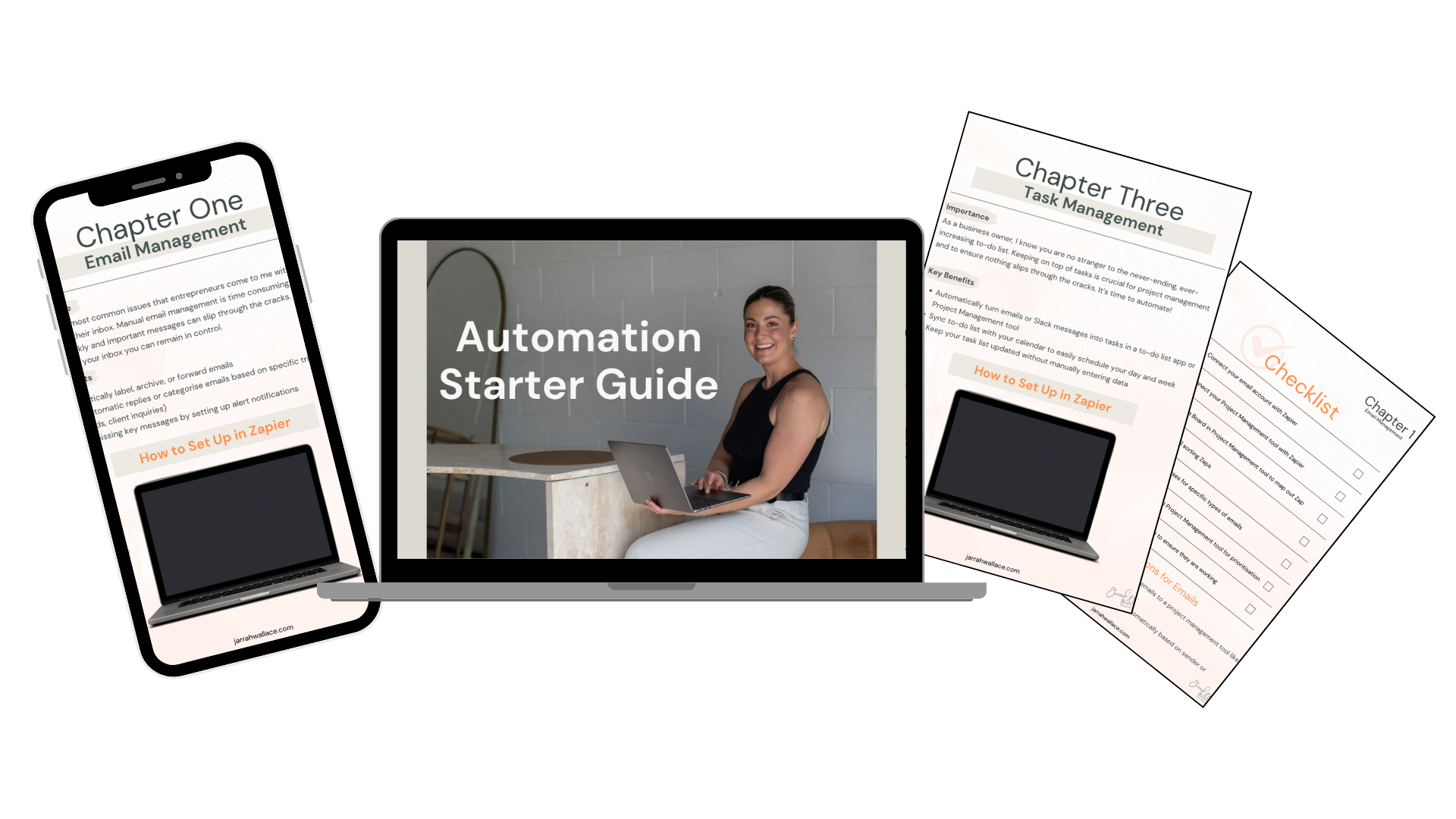

Automation Starter Guide
Discover how to streamline your tasks and boost productivity with my step-by-step guide to automation—even if you're a beginner.

Running a business means wearing many hats, but not all tasks should take up your valuable time. From managing emails and calendars to tracking tasks and following up on sales leads, the amount of time spent on repetitive tasks can drain your energy and slow your growth.
Automation is your secret weapon to regain control, boost productivity, and focus on the high-impact areas of your business. Whether you’re a busy entrepreneur, freelancer, or executive assistant, automating your workflows can save you hours each week—allowing you to work smarter, not harder.
What you’ll get
-
✺
Comprehensive Video Lessons
-
✺
Step-by-step written instructions (for the non-video type!)
-
✺
Hands-on course workbook with checklists to track your progress
-
✺
Practical techniques for streamlining course operations and saving time.
-
✺
Lifetime access to course materials and updates.
-
✺
Exclusive bonus resources, including templates for efficient course management.
What’s inside.

Lesson 1
Automate Your Email Management
Automate sorting, organising and responding
Automate emails into actionable tasks
Sync your emails with your Project Manegement Tool

Lesson 2
Automate your Calendar and Scheduling
Automate your Calendar Workflows
Sync your Calendar and Project Management Tool
Set-up and imbed your Scheduling Tool to your website

Lesson 3
Task Management with Automation
Create automated workflows with emails
Automate your repetitive tasks
Streamline your business processes

Lesson 4
Sales Pipeline Management
Capture new leads and automate the process
Create automated nurture sequences
Automate the Sales Pipeline status of your leads
About me.

Hi!
I’m Jarrah - an organised Aries (need I say more?) who loves all things business, tech and strategy.
I started this business with one goal in mind: to support business owners like you in achieving your dreams. I know first hand how overwhelming it can be to wear all the hats in your business, from marketing guru to customer support superhero. That's where I come in.
My passion is all about creating efficient systems and strategies that help you reclaim your time and focus on what truly matters – growing your business.
With the power of automation, we can wave goodbye to those repetitive, time-consuming tasks that can feel like a never-ending treadmill.
Let’s do this!
Discover how to streamline your tasks and boost productivity with my step-by-step mini course on automation—even if you're a beginner.
✺ Frequently asked questions ✺
-
No! This course is designed for beginners and will guide you through every step of setting up automations, even if you have no prior experience with Zapier.
-
You can complete the mini-course in about 1-2 hours. Each lesson is concise and packed with actionable steps you can implement right away.
-
I’m here to support you! You’ll have access to email support if you have any questions or run into any issues.